
How do you set up your camera to photograph jewelry?
Control your camera settings to photograph your jewelry. ISO, aperture, speed: all the parameters explained for professional photos.
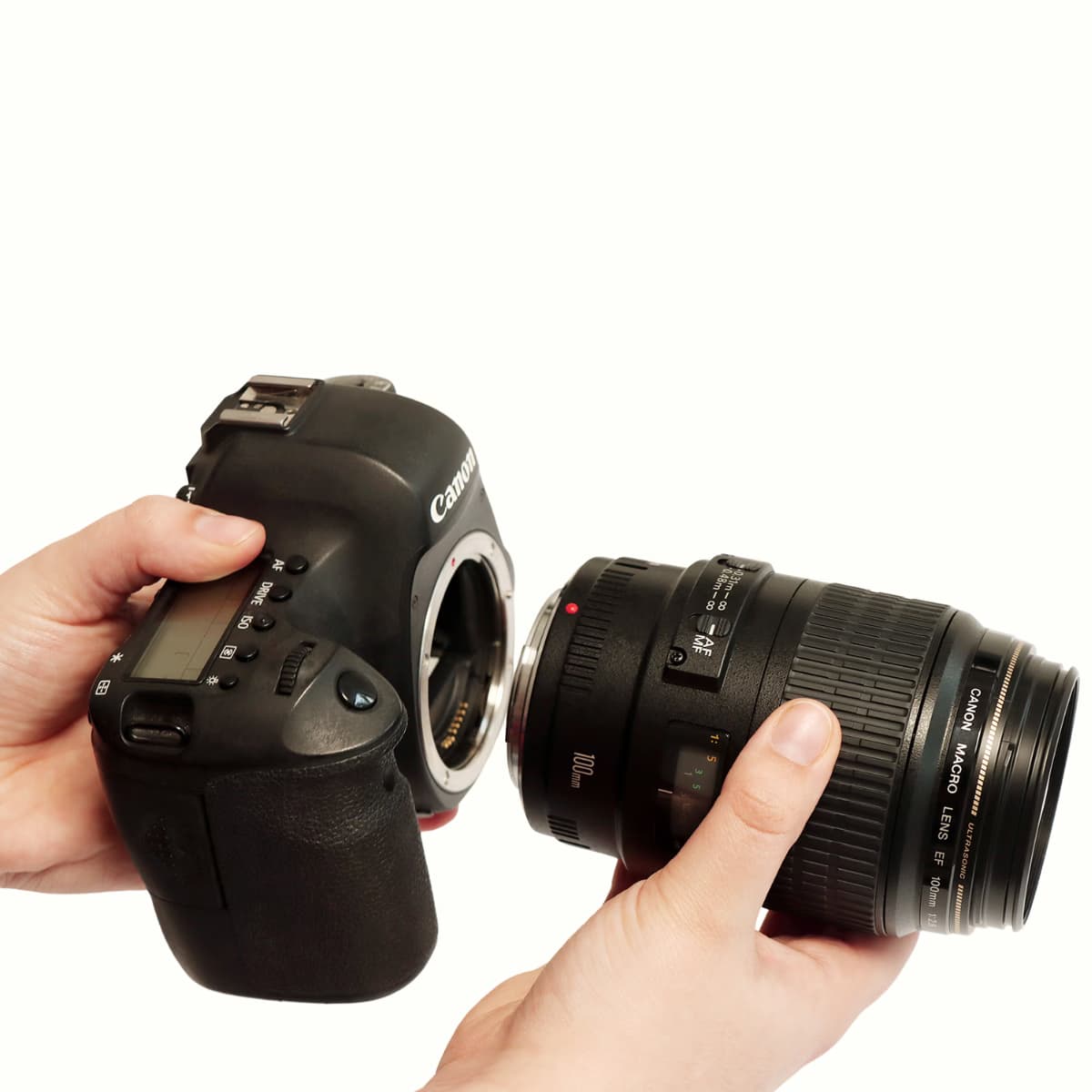
After reading our article on equipment (cameras in particulart) and objectives to choose to photograph your jewelry, let's move on to the next steps to get the best jewelry photos possible. 📷
You are now in good condition, with your SLR camera and armed with your memory card, ready to shoot your jewelry in the studio.
💡 You have the system ofContinuous and multi-source lighting, we can start.
Here are our tips for camera settings for photograph your jewelry, precious and semi-precious stones.
Before starting, be sure to clean your jewelry and position it well in the center of the studio with gloves to avoid any traces that you will have to erase later in post production.
If you are shooting gold jewelry, we recommend a white background and a black background for silver jewelry to make them stand out. The Alphashot Micro V2 studio is designed for jewelry photography and comes with two turntables, one white and one black.
Learn how to use a Canon camera and take an example of the settings you make when shooting a ring here.💍
What to choose between manual and automatic mode?
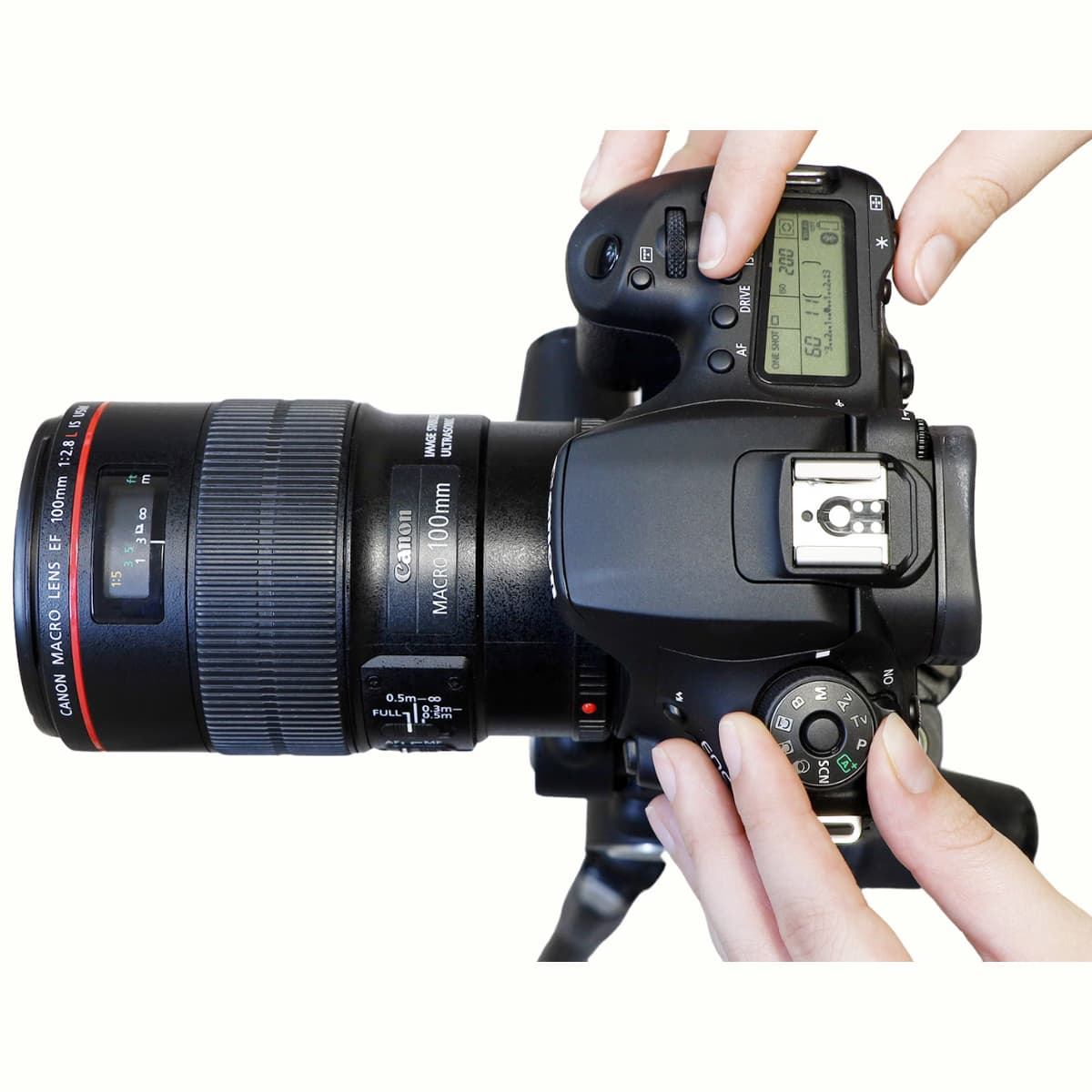
To master the three fundamental parameters of your camera, be sure to choose from all the available modes, the manual mode on the case adjustment wheel. 📷
Then, configure via the interface of the Orbitvu Station software, the three essential settings:
ISOs, aperture (diaphragm), and shutter speed.💻
You will be able to visualize the result of your adjustments in real time using the tool LiveView, allowing you to instantly fine-tune your settings to get the ideal exposure and a perfectly balanced image.⚖️
Adjust your ISOs to reduce noise
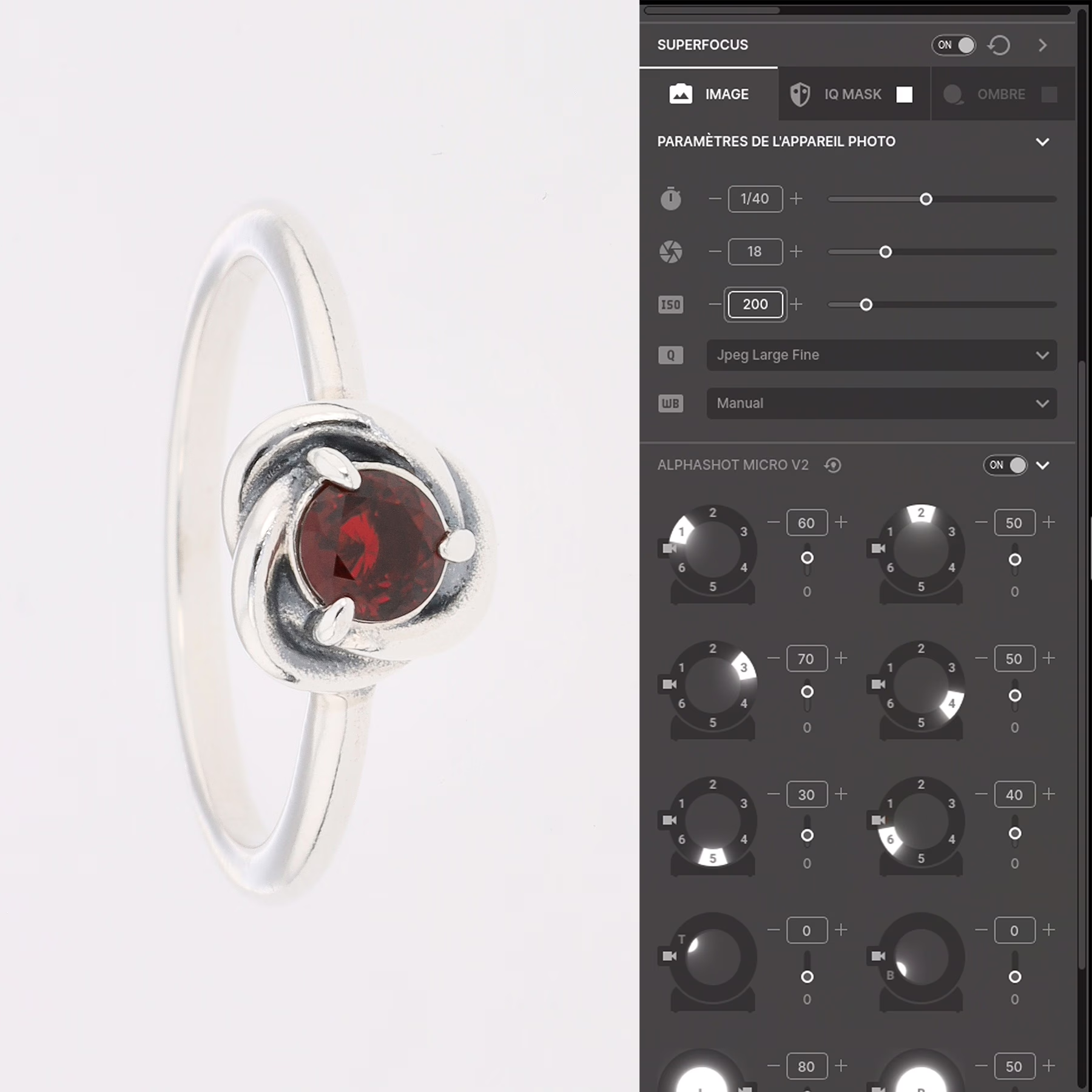
Les ISO Define the sensitivity of your sensor to light. 💡
When using a system of multi-source LED lighting, it is recommended to choose a value between 100 and 200 to get a optimal rendering on your jewelry and precious stones.💎
Lower ISO values reduce digital noise, which makes it possible to obtain photos sharper and more detailed.
By adjusting the ISO values correctly, you improve the quality of your photos while maintaining color accuracy and clarity of detail.
High ISO settings
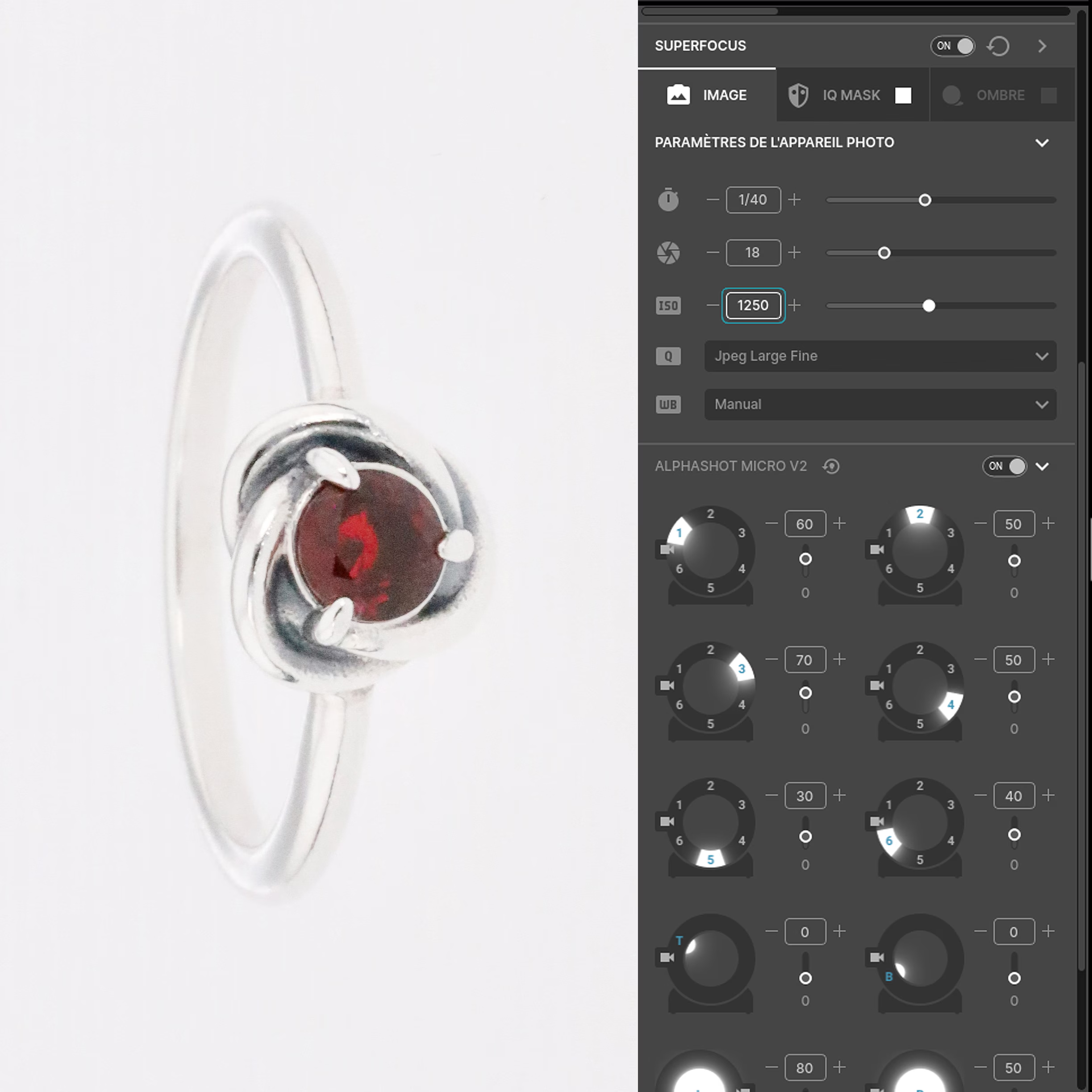
Here is the result of a jewelry prototype taken with a high ISO.
Open your diaphragm wide
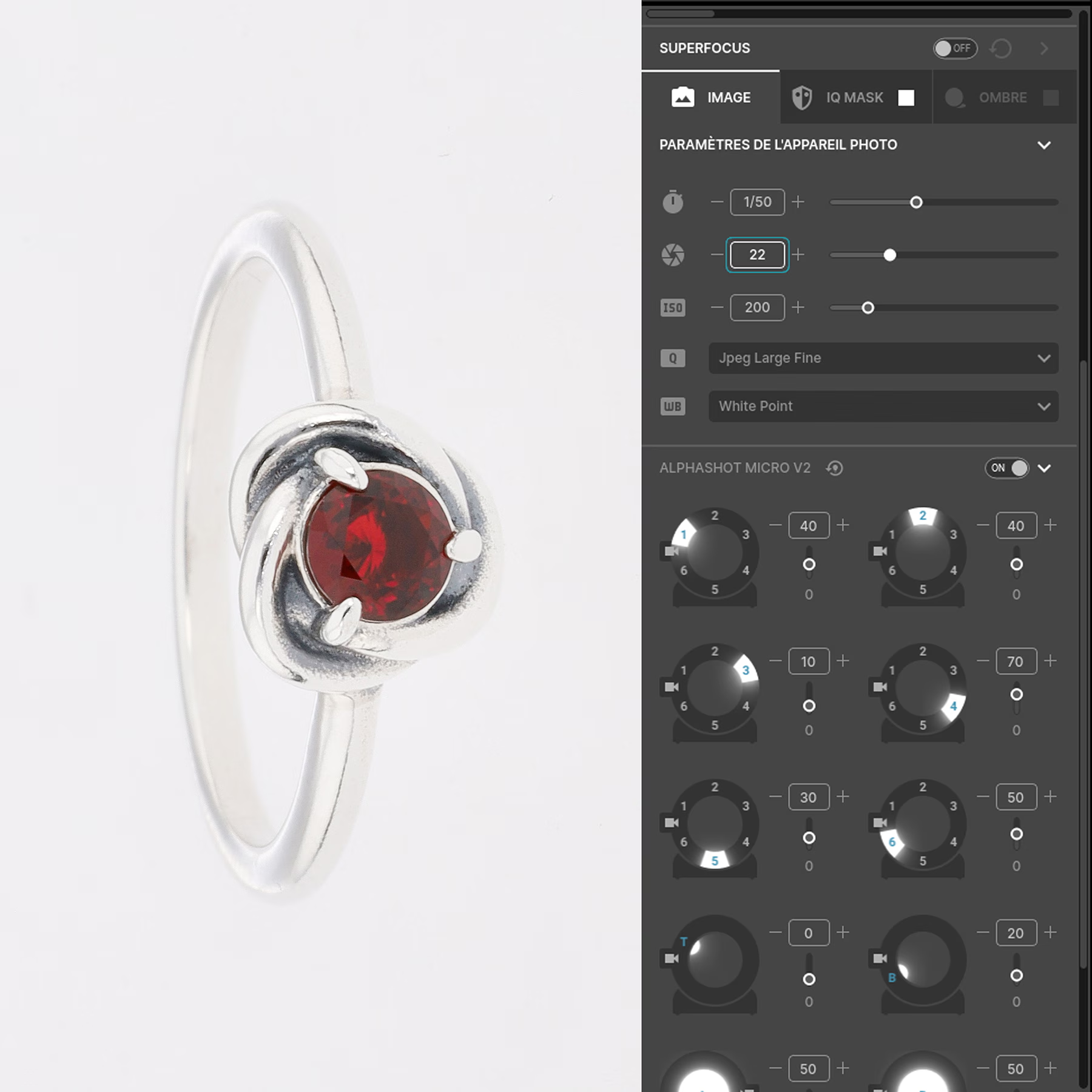
Opt for an aperture between f/16 and f/22, depending on the jewel or stone you are shooting. 💍
One high f/22 aperture value will allow you to obtain a greater depth of field, a better sharpness And a more accurate reproduction of details. 📷
In fact, by choosing a small aperture value f:11, you focus on a small area of your jewelry, which Causes blur on the other parts of the image.
To get sharpness throughout the piece of jewelry, it is recommended to use the autofocus stacking technique (Focus Stacking) of the software.💻
This method allows you to Merge multiple shots with different focus areas for a perfectly sharp rendering.
Discover our tutorial dedicated to automatic focus stacking for optimal results.
Result with a small opening
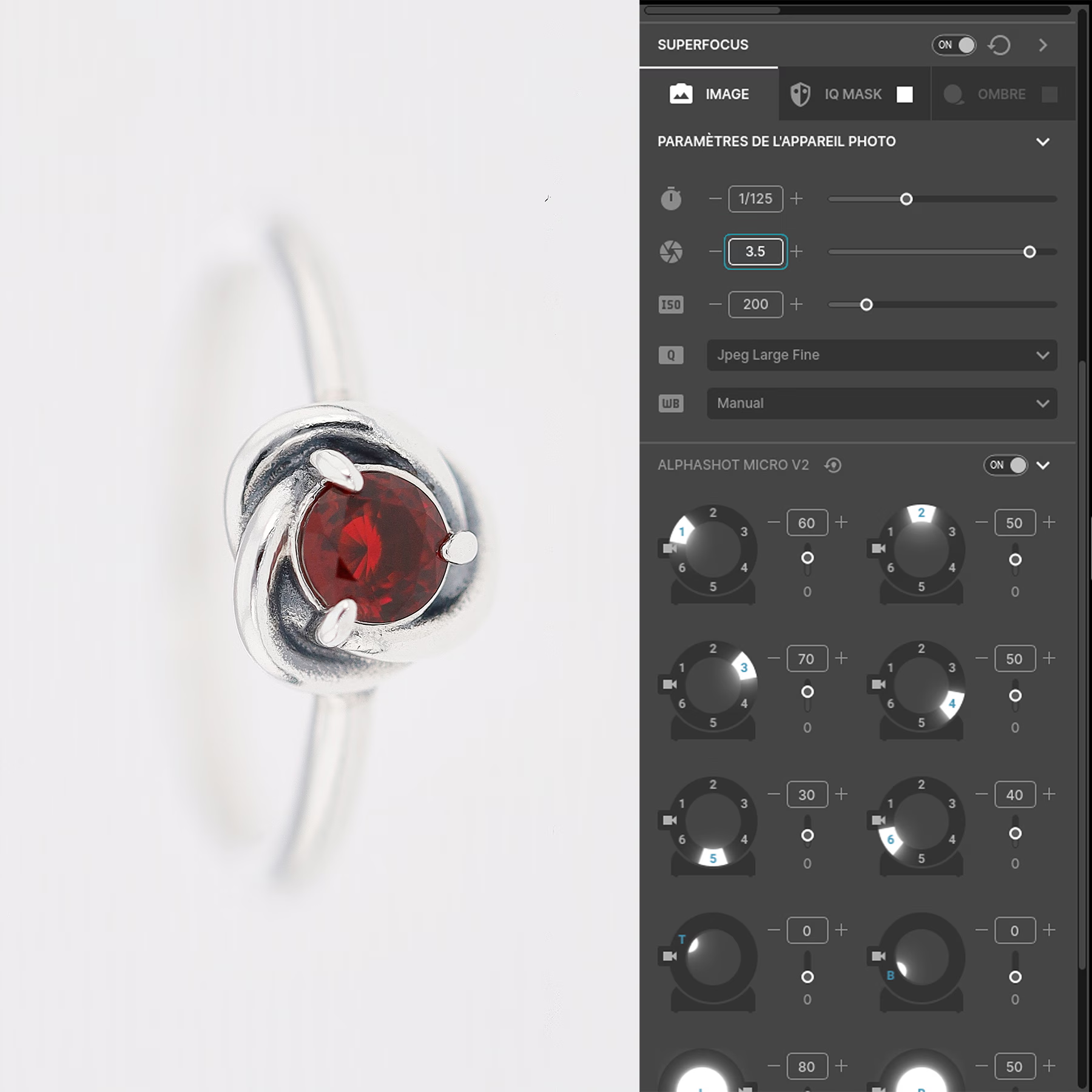
Here is the result of a photo taken with too small an aperture.
Speed: find the cruising pace
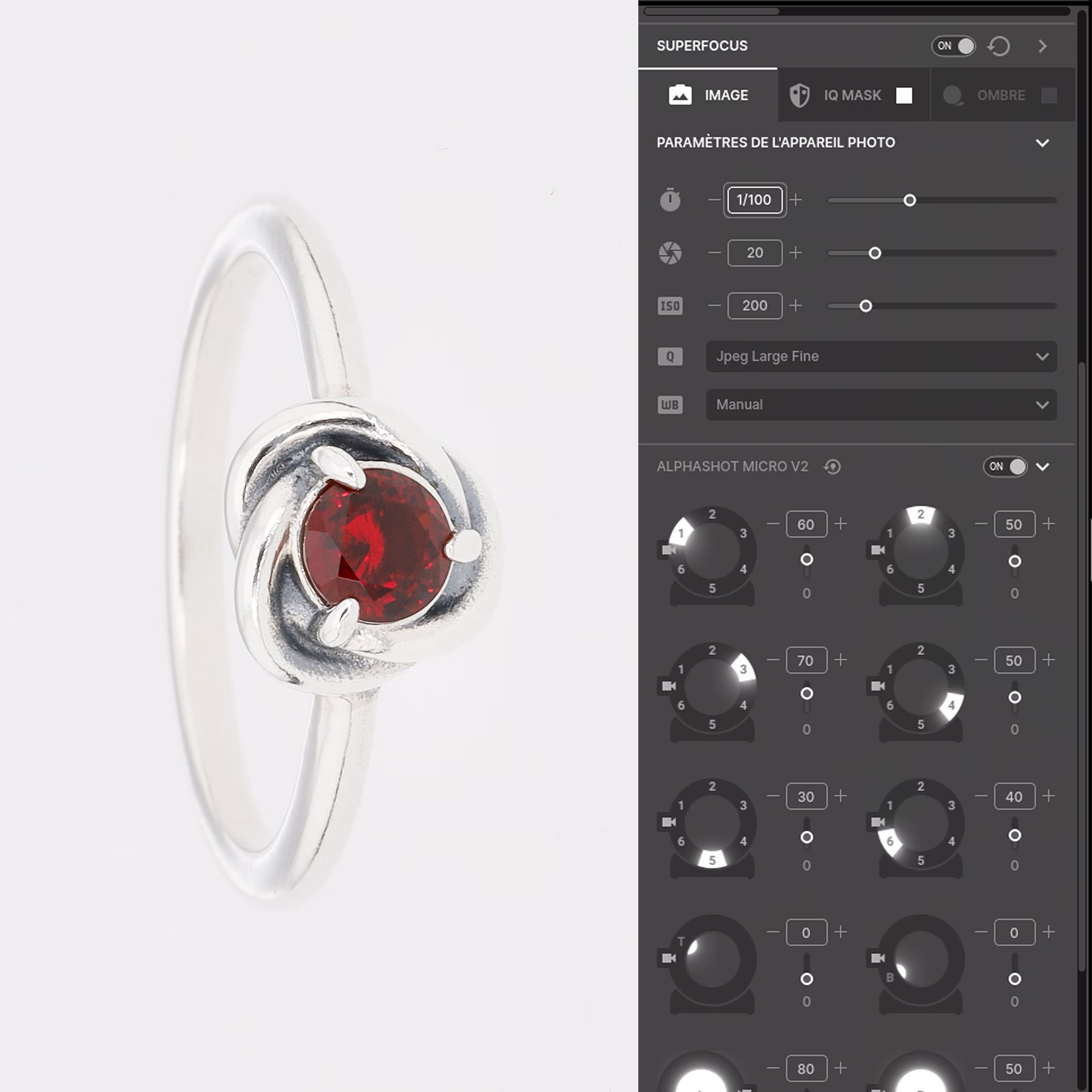
It's about the speed At which the Your camera's sensor is exposed to light.
Adjust the shutter speed only if your image is underexposed or overexposed after the first settings. ⚙
By lowering the shutter speed, you Increase the brightness of your image; by accelerating it, you are reducing it. ⚡
Result of an incorrect speed adjustment
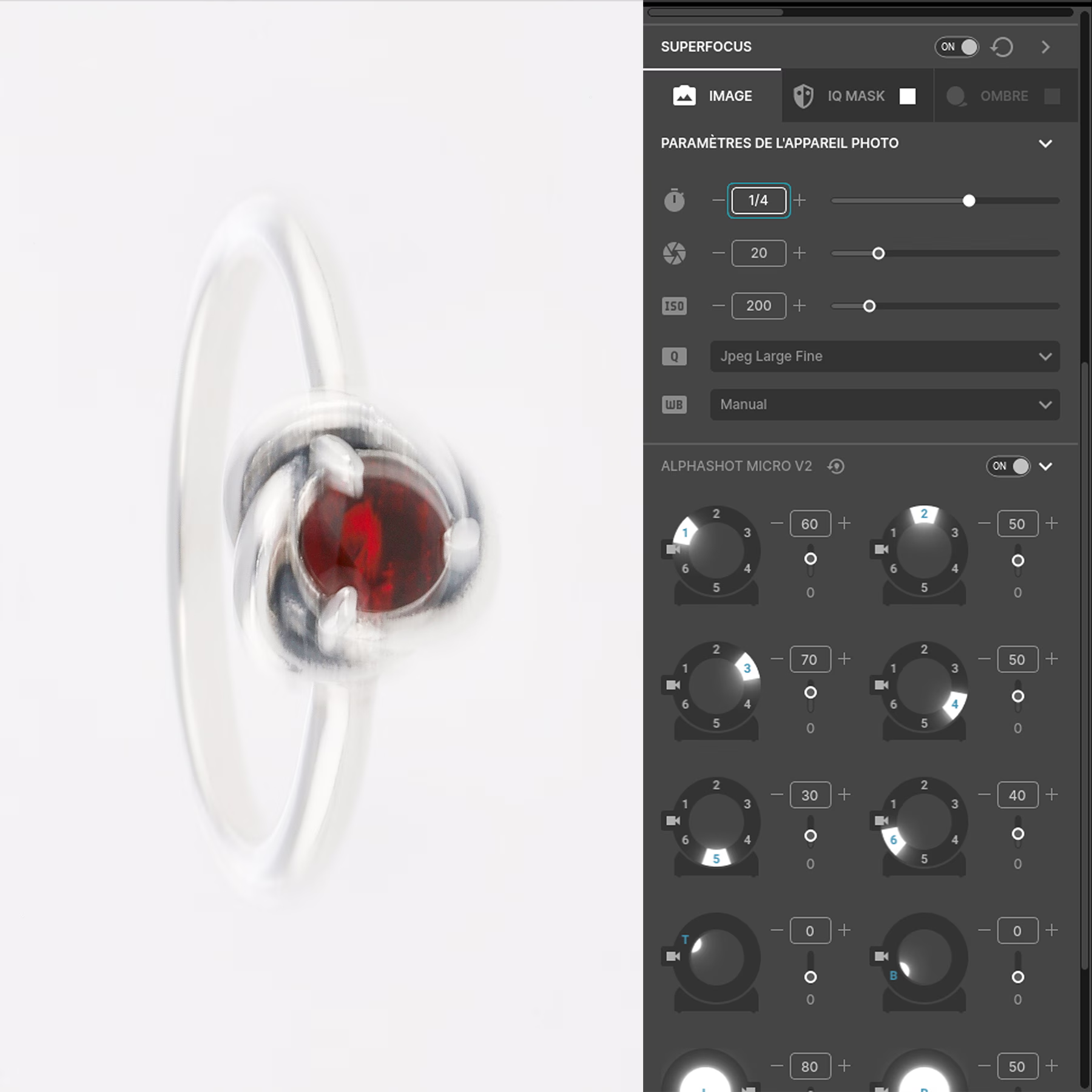
This is what a photo taken with the wrong shutter speed setting looks like.
Let's move on to the lighting
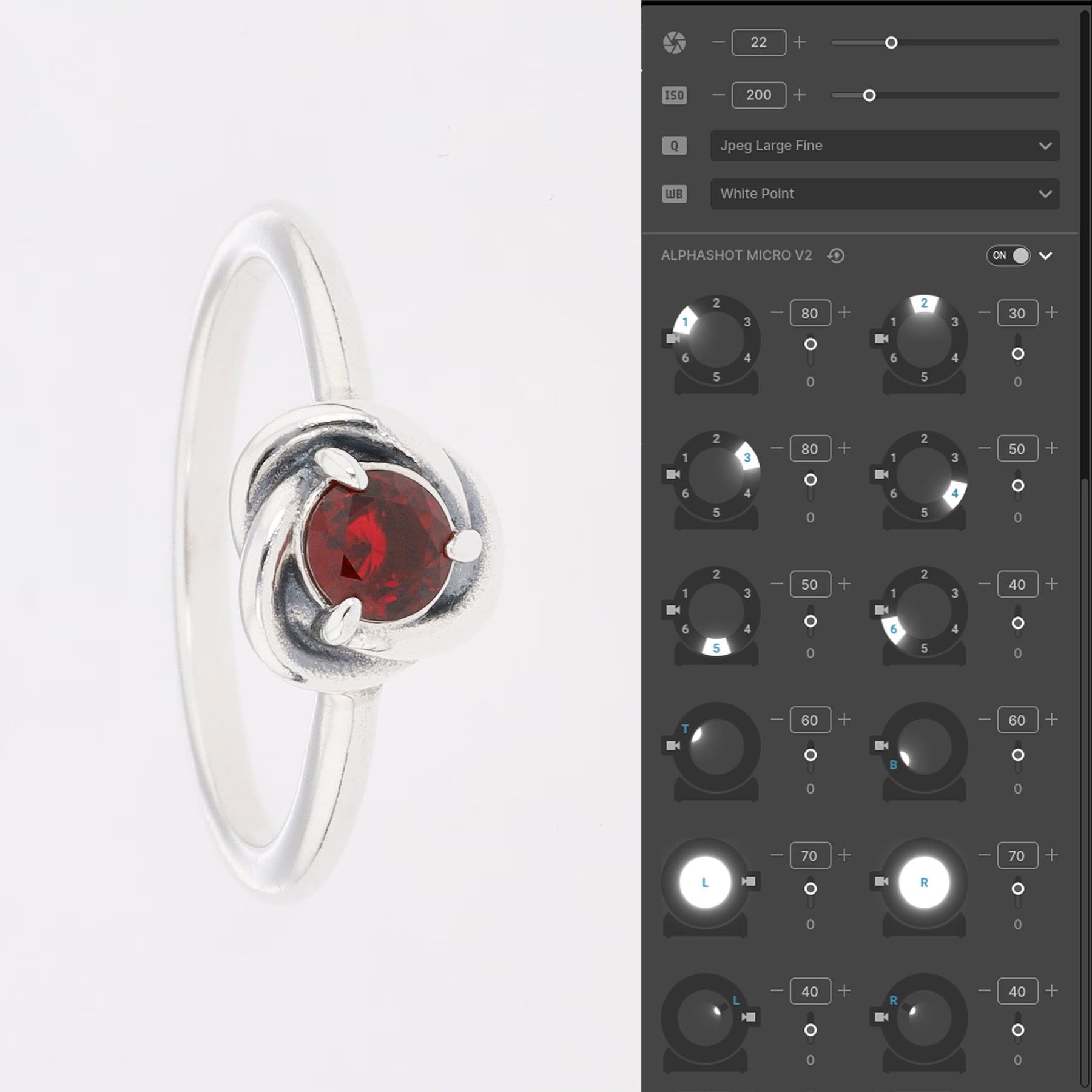
The Orbitvu Station software offers you ready-to-use light settings templates. 📂
Do not hesitate to explore them: they can you save time if you find them adapted to your needs, or simply inspire you new ideas. 💡
You also have the option of edit a template existing and save your adjustments to use again later.
You can of course create a template from scratch.
And there you go, you are ready to photograph your jewelry like a professional! ✅
Result under exposure
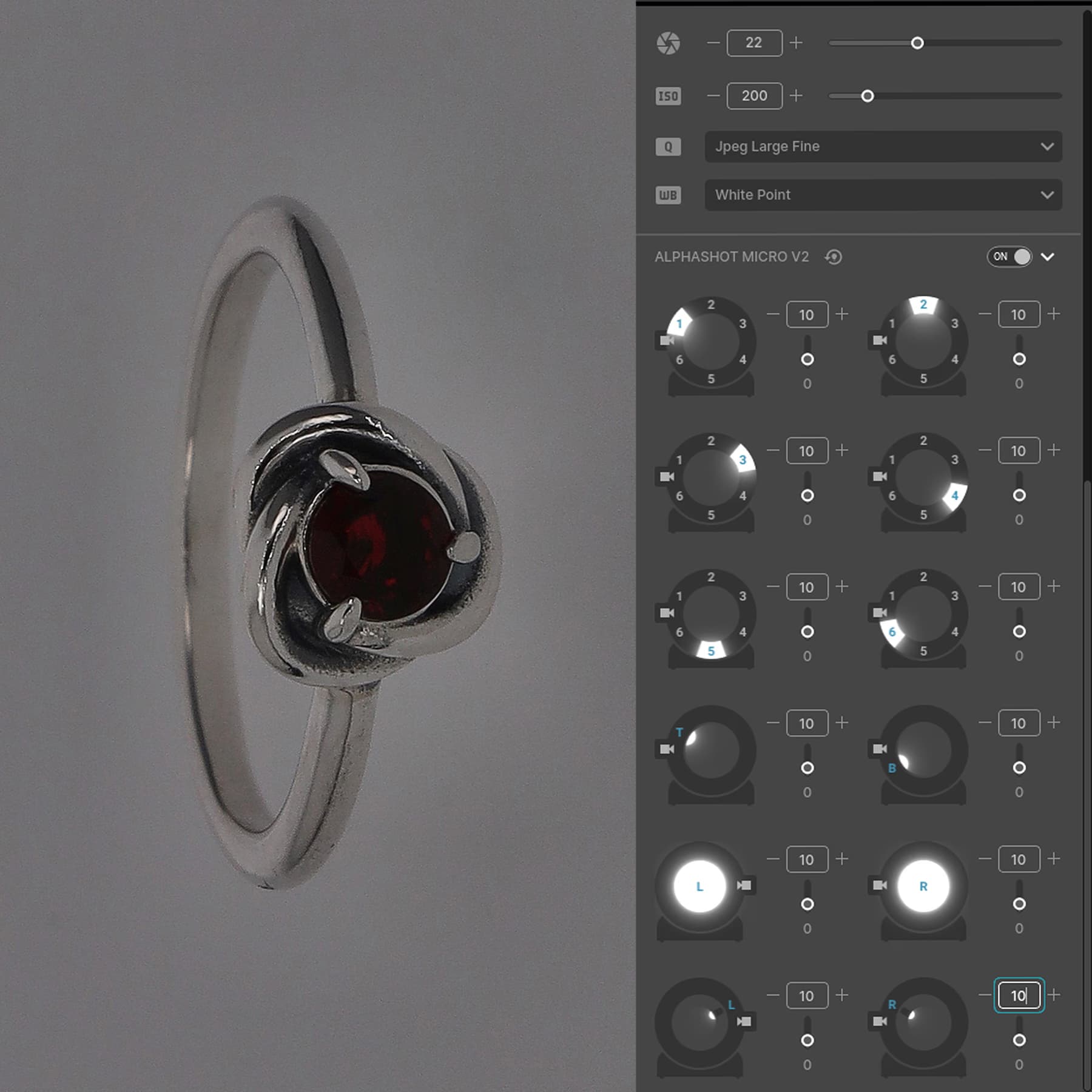
This is what a photo taken with under light looks like.
Overexposure result
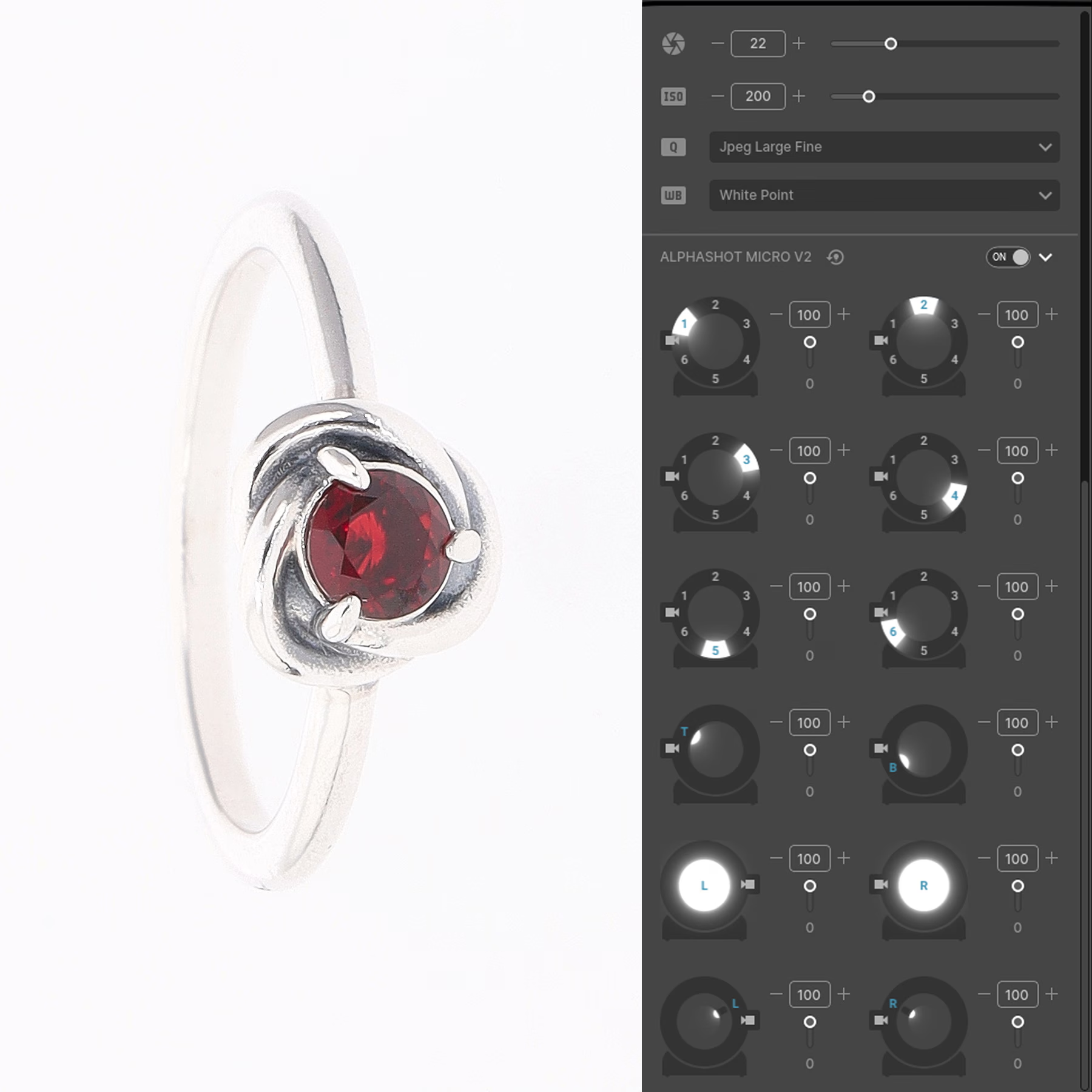
This is what a photo taken with bright overexposure looks like.
Frequently asked questions
How to avoid unwanted reflections on shiny metal jewelry?
What image format is recommended to maintain the best quality jewelry photos?
How can you save time when you have to photograph a large quantity of jewelry?
What is the best way to photograph gold jewelry and silver jewelry?
Can several pieces of jewelry be photographed at the same time or should they be captured separately?
Need personalized guidance?
Our PackshotCreator experts are available to help optimize your product photography workflow.
Contact us